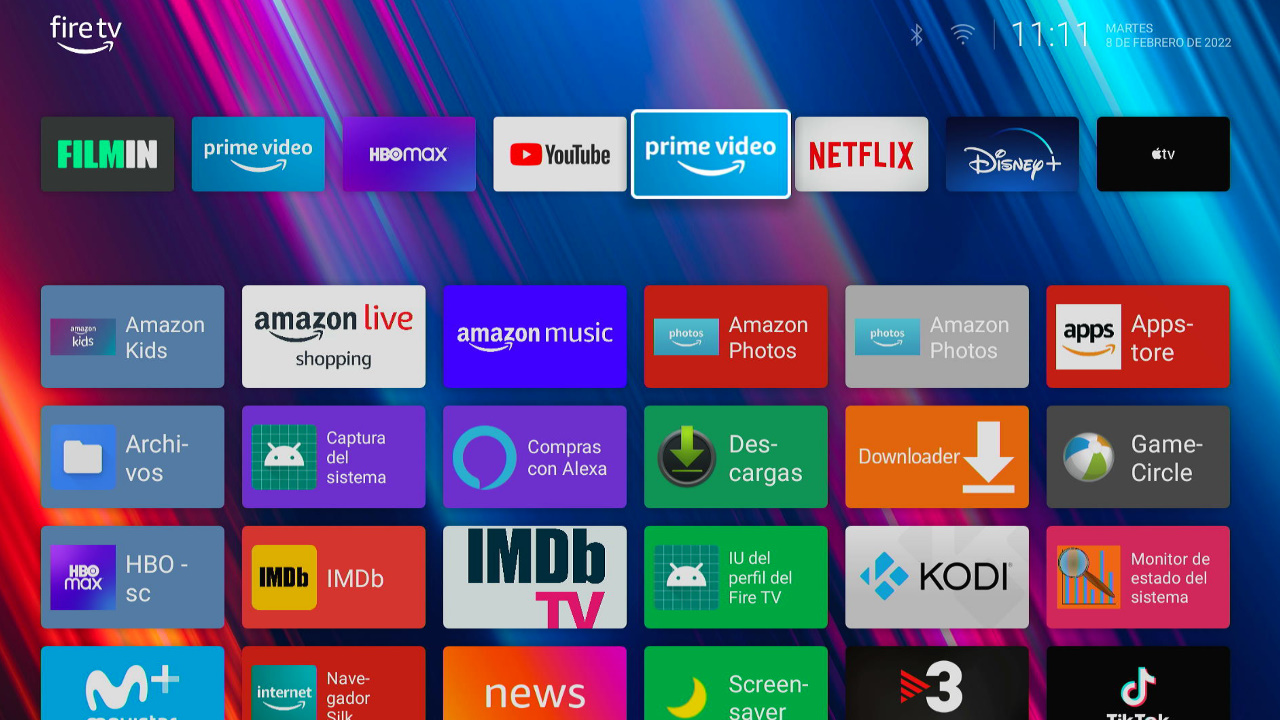
The Fire TV Cube’s stock home screen is built to push Amazon content first — Wolf Launcher swaps that out for a cleaner, faster interface built around the apps you actually use, all without rooting your device.

What Is Wolf Launcher?

Wolf Launcher is a popular third-party home screen replacement for Fire TV devices, built by an active XDA developer. It strips out Amazon’s row-after-row content promotion and replaces it with a simplified, customizable grid of your installed apps.

Why Fire TV Cube Owners Use Wolf Launcher

Fire TV Cube owners tend to use their device as a full media hub rather than just an Amazon streaming box — running Kodi, Plex, game emulators, and other sideloaded apps. Wolf Launcher makes that setup faster to navigate by removing the ad-heavy default interface and putting your own apps front and center.

How to Install Wolf Launcher on Fire TV Cube

Wolf Launcher isn’t available on the Amazon Appstore, so it’s sideloaded with Downloader and then set as your default home screen using Launch Manager, a free no-root companion tool from the same XDA community. Both are distributed through the developer’s official XDA Forums thread linked below, which stays updated with the latest version and setup instructions.

Download Wolf Launcher
Links to the developer’s official XDA Forums thread.

Is Wolf Launcher Safe to Use?

Yes. Wolf Launcher is a long-running, well-known project in the Fire TV modding community with an active support thread and no history of bundled malware. As always, only download it from the official XDA thread linked above rather than a random APK mirror.

We do not condone the infringement of copyrighted material. Upgrade Guy does not verify if applications carry the needed licensing for the media that is accessed. If you feel like anything we have posted violates copyright laws, feel free to contact us so we can remove any issues.

Privacy Tip
Your ISP Can See What You’re Streaming
Right now, your internet provider — and anyone else on this network — can see exactly what you’re watching. A VPN keeps that private in seconds.
See VPN Deals → 30-day money-back guarantee · Works on Firestick, phone, laptop & router

There are affiliate links imbedded throughout this article. Purchasing through these links does nothing but supports us and costs no extra money for the buyer. We get a small kick back for your purchase. As an Amazon Associate I earn from qualifying purchases.

Browsing and Sideloading Safely

Since Wolf Launcher is sideloaded from outside the Amazon Appstore, it’s worth running a VPN while you download and set it up – it keeps that traffic private from your ISP and covers you on any network. We use and recommend IPVanish: see the current IPVanish discount.

Frequently Asked Questions

Does Wolf Launcher require root access?

No. Wolf Launcher works on a stock, non-rooted Fire TV Cube using the companion Launch Manager tool to set it as your default home screen.

Can I switch back to the stock Fire TV interface?

Yes, Launch Manager lets you switch your default launcher back to Amazon’s stock interface at any time.

Is Wolf Launcher free?

Yes, Wolf Launcher and Launch Manager are both free, distributed through the developer’s XDA Forums thread.