Developers Options is a necessary menu we need to activate. This will allow you to install third party apps and access a few other advanced functions.

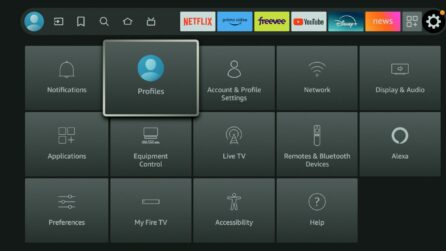
Head over to settings on your Firestick (The little gear)

Select My Fire TV from the settings Menu.

Select the About section

You will now see your device listed. In this screen shot it is my Fire tv Cube, yours may say Fire TV, Firestick or other. Hover over the device and press the OK button (Middle select button) on your remote 5 times.

Your Device will now state you are a Developer.

Press the back button once, this will bring you to the My Fire TV main menu. You will now see a developers options down below.

There are two options in Developers options – ADB Debugging and Install Unknown apps. ADB Debugging has recently been removed from most Fire tv devices. We will ignore it for now. Select Install Unknown apps to continue.

Inside of Install Unknown apps you may see different apps listed. Turning this setting on for these apps allow you to install apps through that application. There will only be a few apps you need to turn this on for. I suggest moving on to the Downloader module to learn what the main use of this feature is. You will need this feature for future modules.

How to access Developers options

This quick video will teach you how to access and use developers options. If you prefer video form we always include one at the end of the module.